Help
Get help with Voinly
Stuck on something? Most answers are one click away. Pick the option that fits.
Nothing here matches “”
Try a shorter word, or search the docs or the FAQ or the commands for it.
Still stuck? Contact us at support@markhuman.ai or ask in the support server. A person reads every message and we answer by email within two business days.
Talk to a person
Tell us your server's name, what you did and what you expected to happen.
Help yourself
- DocsStep-by-step setup for every module.
- FAQPermissions, setup, roles it can't give, your data and more.
- StatusCheck whether the bot and dashboard are running right now.
- CommandsEvery command, what it does and who can use it.
- GuidesStep-by-step walk-throughs for common jobs, like tickets or reaction roles.
Help inside Discord
Type /help (or !help) in your server to see what Voinly can do, or /help ban to get help with one command. /botinfo shows whether the bot is connected and its version, with a button to the support server.
Voinly can't give a role
Discord only lets a bot give roles that sit below the bot's own highest role. If the role is above Voinly's role in your server's role list, Discord refuses, whatever else Voinly is allowed to do.
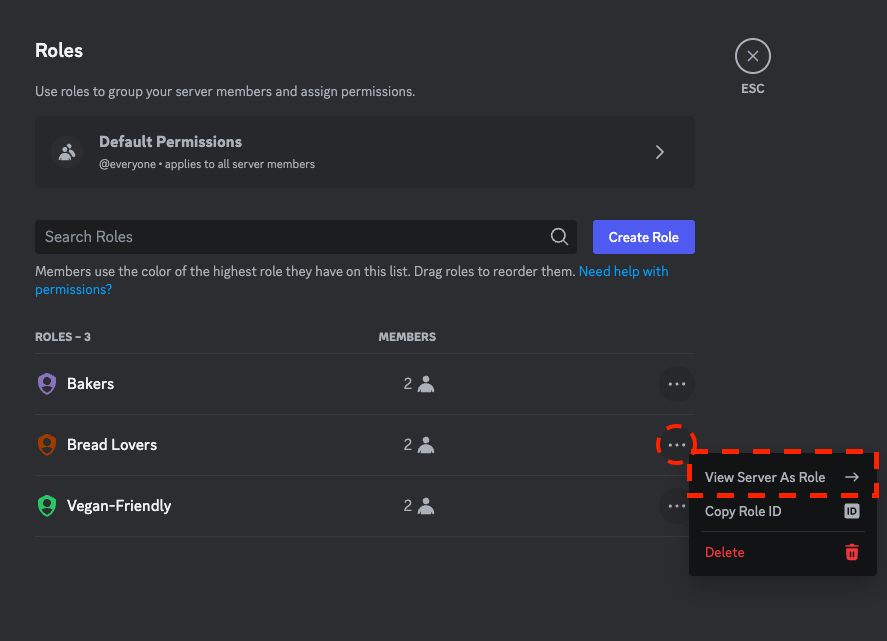
- In Discord, open Server Settings → Roles.
- Drag the Voinly role above every role it should give.
- Open the Voinly role and check that Manage Roles is turned on.
Still not given? Open your server's dashboard and go to Settings → Error log: it names the role Voinly couldn't give. Roles that another bot or integration manages, and the Server Booster role, can't be given by anyone. More in the FAQ.
Something isn't working in my server
Open the dashboard for that server and go to Settings → Error log. It lists what the bot couldn't do, like a missing permission or a deleted channel, and says how to fix it. The FAQ covers the common cases.
Privacy and legal requests
For your data, deletion requests or legal questions, write to legal@markhuman.ai. See the privacy policy for what we store.