
How to move from MEE6 to Voinly
Moving from MEE6 to Voinly takes five steps: add Voinly, let it scan your server for MEE6's setup, choose what to import, then turn each feature off in MEE6 so only one bot does it. Nothing changes until you press Apply, and every import can be undone for 180 days.
Updated
Before you start
- Keep MEE6 in the server for now. Voinly's scan looks for MEE6 and reads, from the audit log, which roles it gave to members. Removing MEE6 first makes the scan see less.
- You need Manage Server in the server, and Voinly must be in it to scan.
- Both bots will run side by side for a short while. That is fine as long as you turn a feature off in MEE6 when Voinly takes it over, or members get two welcome messages or two role grants.
What the import can bring over
The importer scans your server rather than MEE6, so it finds what MEE6 left behind in Discord. For each MEE6 page, the preview shows what it found and what it becomes in Voinly:
- Welcome & Goodbye: the welcome and leave channels, guessed from their names, and the roles MEE6 gave new members (from the audit log), which become Voinly's Join roles. The message text is written again by hand.
- Moderator: the mod log channel and the mute role, guessed from their names.
- Moderator → Automod: Discord's own AutoMod rules, copied exactly. MEE6's own filters are set up again by hand.
- Moderator → Audit Logging: the log channel, guessed from its name. Pick the events again.
- Reaction Roles and Custom Commands: not imported, because MEE6 keeps them on its own servers. Build them again in Reaction roles and Custom commands.
What it can't see
A scan finds what Discord can show: roles, channels, bots, webhooks, integrations and Discord's own auto moderation rules. It can't see settings MEE6 keeps to itself, such as message text, so look through the preview before you apply. When you write your welcome again, Voinly's {user}, {server} and {server.member_count} placeholders work like MEE6's.
What stays in MEE6
Levels and XP are not imported. Voinly imports settings, not member records, so ranks and other member data stay in MEE6. Voinly's Levels module uses the same XP curve as MEE6, so a member with the same total XP has the same level, and a server manager can set a member's total with /xp set. MEE6's welcome card design can't be read either: make a new one in Welcome messages under Welcome card.
Turn off each feature in MEE6
After the import, the Finish the switch tab lists what to turn off. Voinly can't check another bot, so you tick each one when you've done it. For every row, first open MEE6's dashboard (mee6.xyz/dashboard) and choose your server. Steps checked 3 Oct 2026; MEE6 may have changed since.
| MEE6 page | What to turn off |
|---|---|
| Welcome & Goodbye | Turn off the welcome message and the private welcome message once Voinly's welcome is set up. |
| Welcome & Goodbye | Turn off “Send a message when a user leaves the server”. |
| Welcome & Goodbye | Turn off “Give a role to new users”. |
| Reaction Roles | Turn off or delete each menu once you've rebuilt it in Voinly. |
| Moderator | Turn off what Voinly now handles. Moderator also holds Automod and Audit Logging, so only switch the whole plugin off if you imported those too. |
| Moderator → Automod | Open Automod and turn off each filter Voinly now covers. |
| Moderator → Audit Logging | Open Audit Logging and turn off the events Voinly now logs. |
| Custom Commands | Turn off or delete each command once you've rebuilt it in Voinly. |
Undo for 180 days
Each import has its own page under Import from another bot, with an Undo this import button. Undo puts settings back and deletes menu messages Voinly has a record of. It can't take back messages already sent or roles already given, and it keeps any setting someone changed after the import. Once an import is 180 days old it can't be undone, and you change its settings by hand.
Remove MEE6
When the Finish the switch list says everything is turned off, and Voinly has handled a few days of joins and commands, remove MEE6: open Server Settings, then Integrations or the member list, and kick or remove the MEE6 bot. Before you do, write down anything you still want from it, such as your top members' levels, since those don't come across.
Troubleshooting the move
Members got two welcome messages
MEE6's welcome message is still on. Turn it off under Welcome & Goodbye, then tick it in Finish the switch.
The scan found less than expected
MEE6 keeps some settings on its own servers, out of Discord's sight. Fill in what's missing in the preview or in each Voinly module afterwards.
Move from MEE6 step by step
-
Add Voinly and open the importer
Add Voinly to your server, open the dashboard and choose Import from another bot under Settings. Under Start an import, pick MEE6.
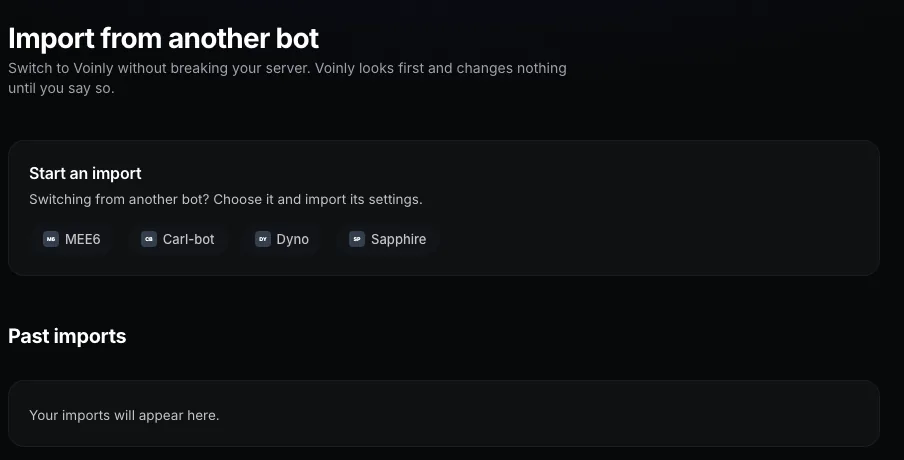
The importer works for MEE6, Carl-bot, Dyno and Sapphire. -
Scan your server
Voinly looks at your server to find what MEE6 set up. It reads roles, channels and integrations, and which roles MEE6 gave from the audit log. It doesn't read any messages, and it changes nothing yet.
-
Choose what to import
The preview groups everything by feature. Untick what you don't want, and where Voinly already has a setting, choose Keep mine or Replace with imported.
-
Apply, switched off
On the confirm page, choose Save them switched off (recommended), so nothing new starts until you're ready, or Turn them on now. Then press Apply.
-
Finish the switch
Open the Finish the switch tab. For each row, turn the feature off in MEE6 using the table above, tick I turned this off in MEE6, and press Turn on in Voinly. Then remove MEE6.
Frequently asked questions
Will my MEE6 levels and XP come over?
/xp set lets a server manager set a member's total by hand.Do I have to remove MEE6 first?
Can I undo the import?
Is Voinly free after the move?
Add Voinly to your server
Every Voinly module is free. The only paid extras are Custom bot and extra AI moderation scans (see pricing). Add it to Discord and set it up from the dashboard.
Add to Discord